
Why it stops
Claude Code, Codex and the other coding agents run in a terminal. When the agent runs on your laptop, it lives as long as that terminal does: close the lid, lose Wi-Fi or let the machine sleep, and the work stops halfway, often in the middle of a change.
Running the agent over SSH on a server doesn't help on its own. The agent is now on the server, but it's still tied to your SSH session, and that session ends when the laptop sleeps.
The fix is to run the agent somewhere that doesn't depend on your laptop being awake, and to have a way back to it.
The do-it-yourself way: tmux
If you're happy in a terminal and have a project or two, tmux on the server does the job. It keeps the session running after you disconnect.
ssh you@your-server
tmux new -s agent        # a session that outlives this connection
cd ~/your-project
claude                   # or codex
Give the agent its task, then press Ctrl-b then d to detach. Close the laptop. Later, from any machine:
ssh you@your-server
tmux attach -t agent
A few things to know:
- It waits for you. When the agent asks permission to run a command, it stops until you attach and answer. Nothing tells you it's waiting.
- Phones are awkward. Attaching from a phone works with an SSH app, but reading a long agent transcript in a phone terminal is hard going.
- It's one session per project. With several projects on several servers, you end up keeping a list of which session is where.
- Flaky connections:
moshinstead ofsshsurvives network changes better while you're attached.
The Hewy way
Hewy is an app for Mac, iPhone and Android that does the tmux part for you, and gives each agent a proper chat window instead of a terminal. A small program on your server, the Hewy Daemon, keeps your agents running there. The apps connect to it over SSH, like you would, and your phone gets a notification when an agent needs you.
-
Add your server
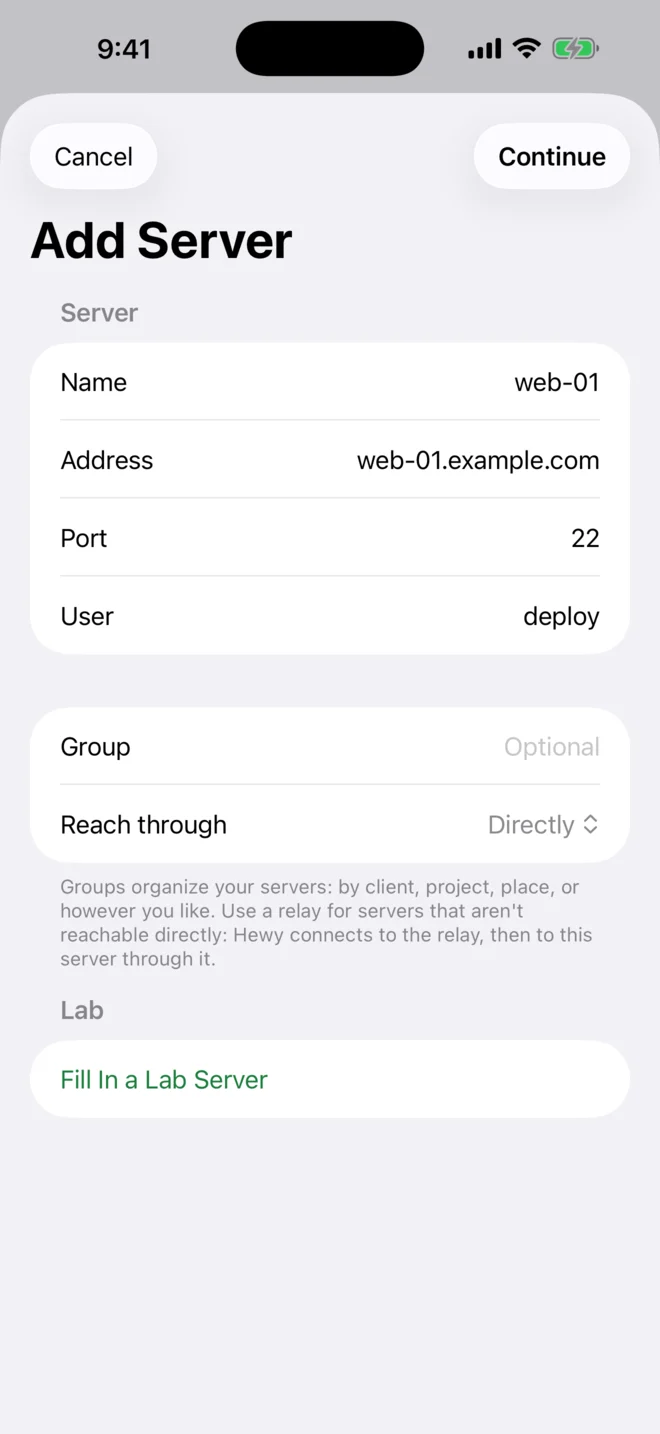
Any server you can SSH into: a VPS, a box under your desk, a Raspberry Pi. Tap Add Server, enter its address and your user name, and tap Continue. Hewy makes its own key for the device and offers to install it.
-
Set it up for agents
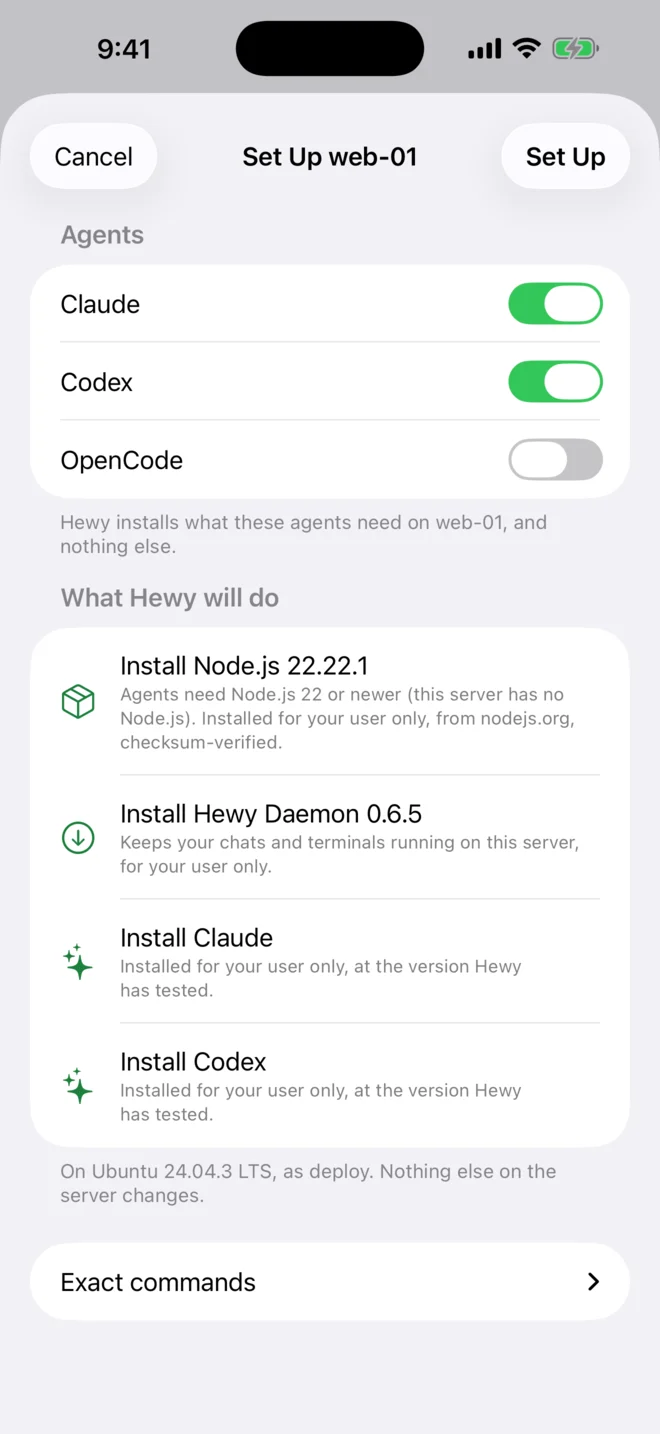
Choose your agents and tap Set Up. Hewy shows exactly what it will install first, then puts the daemon and the agents in your own account on the server, with no root needed for the basics. Sign in with your Claude or ChatGPT plan, or add an API key.
-
Start a chat and give it a goal
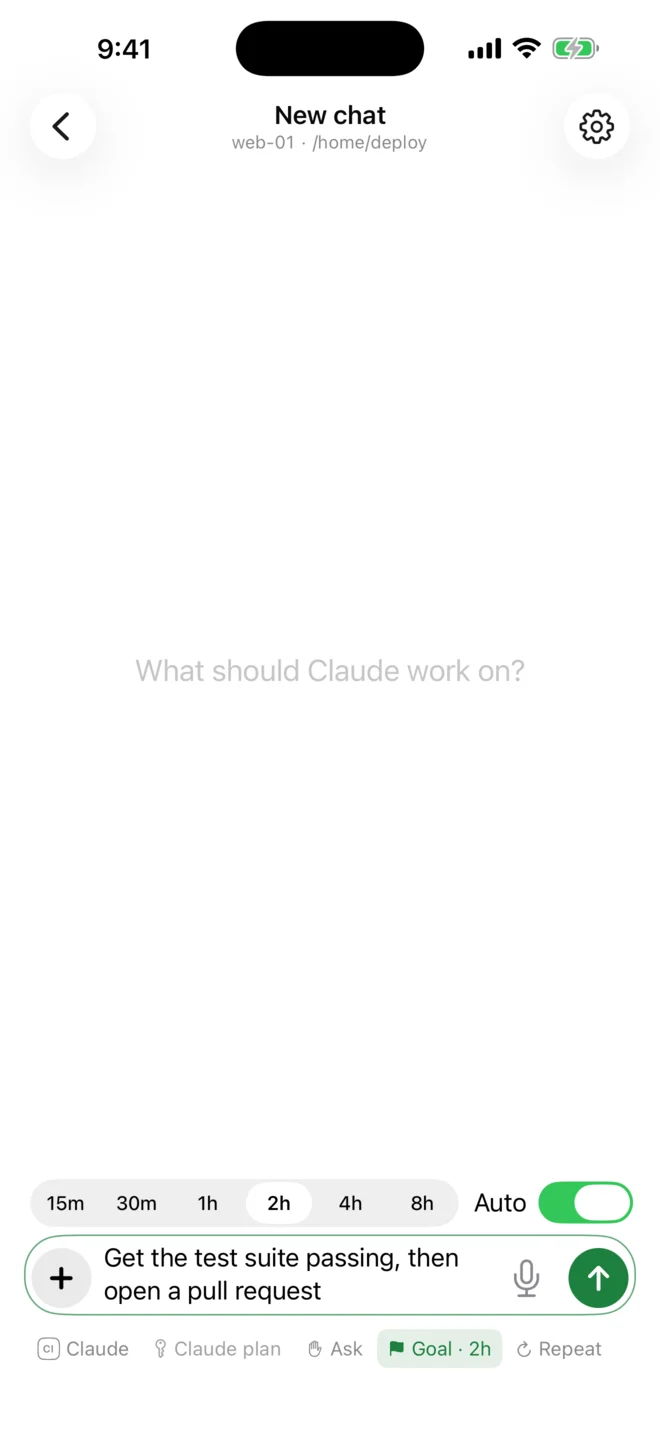
Start a chat in your project's folder and say what you want done. Turn on Goal for longer jobs and choose how long it may work: the agent keeps going until the goal is met or the time is up, not just for one turn.
-
Close the laptop
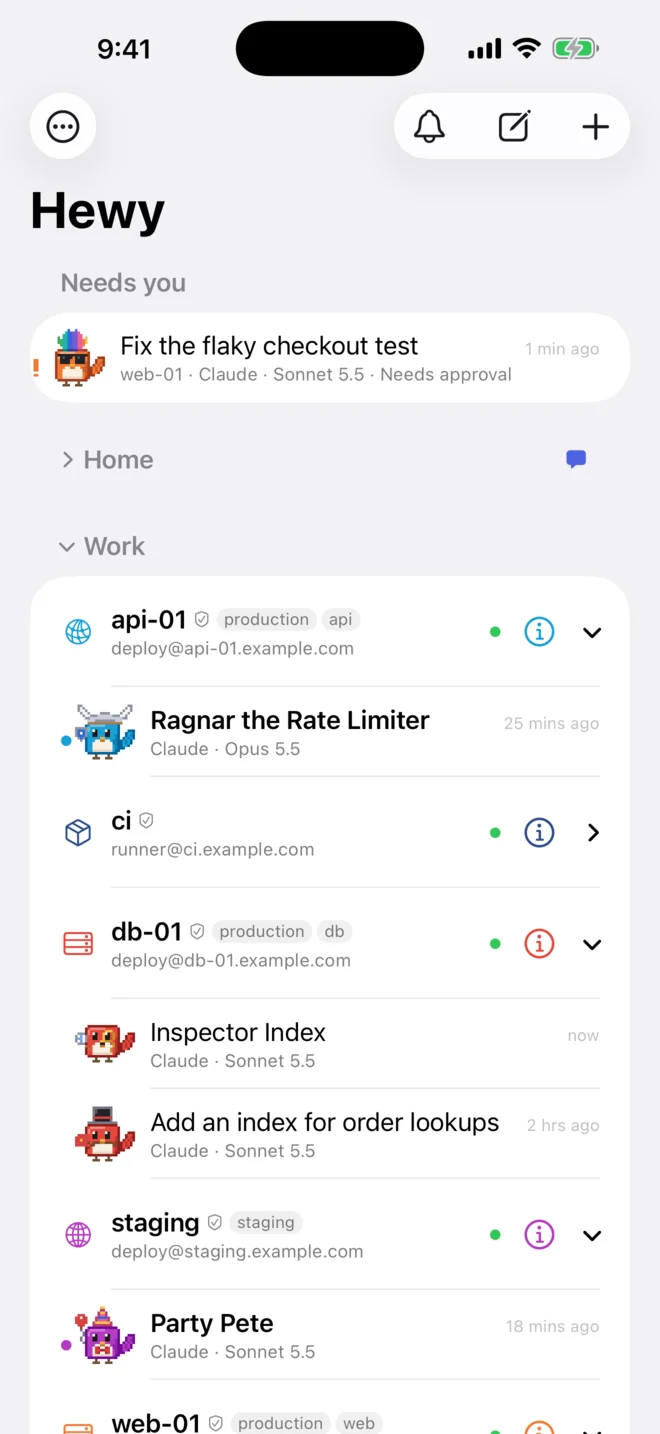
The agent carries on, on the server. When it needs an answer, such as permission to run a command, your phone lets you know. Tap it to answer, and to see what the agent has done so far. When you're back at your desk, the same chat is waiting on your Mac.


Which to use
If you live in the terminal and work on a project at a time, tmux is free and works well. If you hop between a lot of projects and servers, would rather click than type, or want to answer your agents from your phone, that's what Hewy is for. It's free for 14 days, and the setup guide shows everything Set Up does on your server, step by step.